


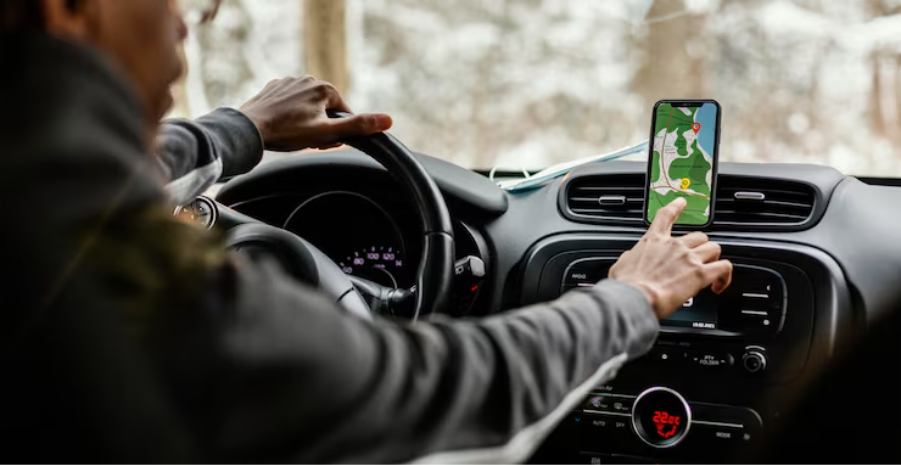
Uber driving rarely follows a fixed routine. A morning airport pickup, an afternoon spent around busy shopping areas, and an unexpected evening surge can send you across different parts of town. The easiest way to keep mileage records accurate is to use automatic mileage tracking, review your trip history regularly, and separate business driving from personal travel. A reliable mileage tracker for Uber drivers helps record vehicle movement without requiring you to remember every trip manually.
The Mileage Tracker app from MileageTracker.com can help drivers record vehicle mileage automatically, reducing the need to start and stop a manual log for every passenger trip. With a consistent tracking process, you can keep better records even when your driving hours, pickup locations, and routes change throughout the week.
Why Changing Uber Schedules Make Mileage Tracking Difficult
Uber drivers often combine different types of driving in a single session. You might begin by heading toward an area with more ride requests, collect a passenger, drive to a destination, and then travel to another location to wait for your next booking. Personal errands can add more complexity if they happen between rides.
Recording these movements from memory makes it easy to miss trips or estimate distances incorrectly. A missed journey can leave gaps in your mileage history, while a personal trip recorded as business mileage can make your records inaccurate.
A consistent tracking method gives you a clearer picture of how much you drive for work. It also helps you review your vehicle use across different driving patterns without depending on a fixed schedule or handwritten notes.
Use Automatic Tracking Instead of Relying on Memory
Automatic Mileage Tracking records vehicle trips with less manual effort than a notebook or spreadsheet. Instead of entering the starting and ending odometer readings for every journey, you can use an app that detects trips and records their mileage.
This is particularly useful for Uber drivers who accept rides at different hours or move between busy service areas. Your tracking routine can stay consistent even when your work routine does not.
An automatic tracking app can help you:
- Record trips without manually entering every journey.
- Maintain a mileage history across changing routes and driving sessions.
- Review recorded distances and correct trip details when needed.
Before relying on automatic records, check that the app has the necessary location permissions and that trip detection is enabled. Battery-saving settings can sometimes restrict background activity, so review your phone settings if trips appear to be missing.
Automatic recording reduces repetitive work, but reviewing the results remains essential. GPS signals can be interrupted, and some trips may need attention before your records are complete.
Build a Simple Routine Around Every Driving Session
You do not need a rigid work schedule to maintain accurate mileage records. A few consistent habits can help you keep track of your driving regardless of when you start accepting rides.
1. Check your tracking settings before driving
Confirm that location access is enabled and the app can record trips in the background. Keep your phone adequately charged and check that your tracking app is functioning before you begin driving.
2. Review trips after driving
Look through the trips recorded during your session. Check for missing journeys, unusually short routes, or distances that do not match your recollection. Correct errors while the details are still familiar.
3. Separate work and personal travel
Driving for Uber can overlap with everyday travel. For example, you might stop to buy groceries before heading toward an area where you usually receive ride requests. Keep personal journeys distinct from business-related travel instead of treating every mile as work mileage.
4. Keep your records organized
Use trip dates, distances, and available trip details to make your mileage history easier to review. Consistent records are more useful than a collection of entries that you need to interpret later.
These habits create a repeatable process without forcing you to follow the same driving hours or route each day.
Account for Driving Between Passenger Requests
Mileage tracking can become confusing when you spend time driving without a passenger. You might head toward a busy pickup area, reposition after dropping someone off, or travel to a location where ride requests are more frequent.
These trips should not all be classified automatically as business mileage simply because you are working as an Uber driver. The purpose of each journey matters, and the treatment of particular trips can depend on the applicable rules and your circumstances.
Keep your records detailed enough to distinguish different types of driving. If you use an app that detects every vehicle trip, review the purpose of each recorded journey before categorizing it. This is especially useful when you leave the app running during personal errands or other activities unrelated to driving passengers.
A clear distinction between passenger trips, other work-related driving, and personal travel makes your mileage history easier to understand. It also prevents you from assuming that every mile recorded by your phone qualifies as business mileage.
Choose a Mileage Tracking App That Fits Unpredictable Driving
A tracking app should fit the way you actually drive. An app that requires frequent manual entries may become inconvenient when you accept rides from different locations or move between several pickup areas.
Look for features that reduce repetitive tasks while giving you control over your records. A useful Mileage Tracking app for Uber should support automatic trip detection, accessible trip histories, and the ability to review or classify journeys.
Consider these practical requirements when choosing an app:
- Automatic trip recording: Detects vehicle trips so you spend less time entering mileage manually.
- Trip history: Keeps recorded journeys available for checking and correcting details.
- Trip classification: Helps distinguish business driving from personal journeys.
- Accessible records: Makes it easier to review your mileage history when needed.
Mileage Tracker is designed to help users record vehicle mileage without depending entirely on manual logs. For Uber drivers, that means having a dedicated place to review recorded trips rather than piecing together driving activity from memory.
Before settling into a routine, test the app during your usual driving activities. Check how it handles short journeys, stops between rides, and changes in your route. This gives you a better understanding of how much manual review your records require.
Handle Missed Trips and Unusual Routes Carefully
Automatic tracking can reduce missed entries, but it cannot guarantee that every trip will be recorded perfectly. A phone that runs out of battery, restricted background location access, or a weak GPS signal can interrupt tracking.
Long waits, short movements between pickup points, and frequent stops may also make your trip history harder to review. Treat your app’s records as a starting point that you can verify rather than assuming every entry is correct.
If a journey appears to be missing, check any available trip information and the vehicle’s odometer readings before adding or correcting an entry. Avoid inventing an exact distance from memory. If you cannot verify the distance confidently, identify the uncertainty instead of presenting an estimate as a confirmed measurement.
It also helps to compare your recorded mileage with the overall distance shown on your vehicle’s odometer. Large discrepancies can signal missed trips or tracking problems that deserve attention.
Keep Mileage Records Useful as Your Driving Patterns Change
Your mileage history becomes more useful when it remains organized and consistent. You may drive mostly in one neighborhood during some sessions and cover longer distances across the city during others. Your tracking method should handle both patterns without requiring a new process every time your routine changes.
Use these practices to maintain reliable records:
- Review unusual mileage entries and correct them using verifiable information.
- Keep personal driving separate from work-related journeys.
- Retain relevant trip details and supporting records alongside your mileage history.
You can also review your driving patterns to understand how much distance you cover across different types of sessions. For example, repeated trips across several neighborhoods may reveal that your working area changes significantly depending on pickup demand. These observations can help you assess your vehicle’s use without relying on assumptions about your total mileage.
For drivers who work irregular hours, a vehicle mileage tracker is most useful when it operates in the background and makes recorded trips easy to check. A small amount of regular attention helps keep the records dependable without adding another complicated task to your driving routine.
Make Mileage Tracking Part of Your Uber Routine
Accurate mileage records do not require a fixed schedule. They require a tracking method that works across different routes, pickup locations, driving sessions, and personal commitments. Automatic recording, consistent trip reviews, and clear separation of business and personal travel can help you maintain dependable records without documenting every journey from scratch.
Mileage Tracker gives you a practical way to begin recording vehicle trips with less manual effort. Get started for free and build a mileage tracking habit that keeps pace with your changing Uber schedule. Start with an app that fits your driving habits, verify that it records trips correctly, and make reviewing your mileage history part of your regular routine.
